
Phone Compatibility Guide
NFC Business Card iPhone And Android Compatibility
Quick answer
A deployment playbook for NFC business cards that survive real iPhone and Android device variance. Covering iOS Background Tag Reading behaviour (iPhone 7+, iOS 14+), Android launcher and NFC-settings variance, URL payload simplicity vs vCard handoff, phone-case and MagSafe interference, the device-OS-case test matrix, and the QR fallback discipline that prevents 10-20% of intended taps from failing silently at the networking moment.
- A simple web-link NFC payload scales far better than vCard or multi-action payloads. One URL that resolves to a landing page works on every phone that supports NFC, across iOS and Android, without app dependencies.
- Phone compatibility is a device-OS-case matrix, not a single tap test. One successful tap on one iPhone with no case proves almost nothing about the real networking moment where a colleague taps their phone with a thick wallet case in a noisy room.
- QR fallback stays valuable even when the NFC experience works well. 10-20% of intended taps fail in the wild for reasons unrelated to the card, and a visible QR preserves the handoff instead of creating an awkward retry.
At a glance
Use these short answers to decide whether this page matches the project before moving into the detail.
Key takeaway
A simple web-link NFC payload scales far better than vCard or multi-action payloads. One URL that resolves to a landing page works on every phone that supports NFC, across iOS and Android, without app dependencies.
iOS NFC behaviour: what actually happens on an iPhone
The moment of truth for a tap-to-share card is never the demo on your own desk. It is the handshake at a noisy event: you hand the card over, the other person taps it to...
Next step
Ready to move forward? Start your inquiry to get specific answers for this project.
Check phone compatibilityiOS NFC behaviour: what actually happens on an iPhone
The moment of truth for a tap-to-share card is never the demo on your own desk. It is the handshake at a noisy event: you hand the card over, the other person taps it to their phone, and either your name appears or they tap a few more times, frown, and politely ask whether there's a number they can just type in. That gap is almost never the chip's fault — it is the operating system, the case, and a moment of doubt about where exactly to tap. This guide is about closing it before it costs you the introduction. iOS NFC support has evolved across three distinct eras, and understanding which era your users are in decides the payload strategy. Writing an NFC business card assuming 2017 iOS behaviour produces a card that fails for most modern tap patterns; writing one that assumes only the latest iOS 18 behaviour leaves the 8-12% of users still on iOS 15-16 with a worse experience than they should have. Read Apple's Core NFC release history as a design constraint, not as trivia.
- iPhone 7 (2016, iOS 11 with Core NFC introduced): first iPhone with NFC read support, limited to an in-app context only. The user has to open a specific app that implements NFCNDEFReaderSession before a tap registers; there is no background tag reading, no notification, no system-level URL handling. Today these devices are a marginal share of the installed base (approximately 1-3% in Q2 2026) but still show up at industry conferences and sales events.
- iPhone XS / XR / 11 family (2018+, iOS 13+): Background Tag Reading introduced in iOS 13 via the NFCTagReaderSession readingAvailable API and the system-level URL handler. The phone wakes on a tag tap with the screen on and unlocked (or locked depending on the URL record type), shows a persistent notification banner with a Safari icon and the URL preview, and opens the URL on tap. This is the behaviour most modern NFC business cards design around.
- iPhone 12 through iPhone 16 family (2020+, iOS 14+ through iOS 18): Background Tag Reading behaviour is stable, reliable and well-documented. Tap-to-open URL on an NDEF-formatted tag with a URI record (spec type 'U', 0x55) works at 20-40 mm from the back-top of the phone near the camera bump without any app installed. iOS 16 added signed universal-link preview; iOS 17 added per-site URL trust prompts; iOS 18 refined lock-screen behaviour. Most compatibility issues on this generation come from cases and user behaviour, not the OS.
- iOS lock-screen behaviour: tapping an NFC tag on a locked iPhone shows a notification; users must tap the notification to proceed to the URL, which requires Face ID / Touch ID / passcode authentication before Safari actually opens the page. Users unfamiliar with the pattern sometimes miss the notification, see no response from the phone, and assume the tap failed. Briefing the card recipient ('you'll see a notification at the top of your screen') prevents most of this confusion.
- Safari default-browser behaviour: since iOS 14 users can change the default browser to Chrome, Firefox, DuckDuckGo or Edge. NFC URLs open in whichever browser is set as default; most deep-linking and tracking scripts behave identically across these browsers, but some PWA installation flows differ. Test the landing page in Safari, Chrome iOS and Firefox iOS at a minimum.
- App-required payloads (custom URL schemes like myapp://contact/abc123, Apple App Clip URLs, Universal Links pointing to an unconfigured domain) fail silently for a recipient who does not have the app installed or the universal link configured. This is the single most common reason URL-only payloads win in competitive bake-offs: a universal URL always resolves to something, even if the resolution is a friendly 'install the app to get richer features' page.
- NDEF record type matters. URI records (0x55) with prefix bytes for https://, tel:, mailto: and geo: are handled by the system URL dispatcher. Text records (0x54), vCard records (type MIME 'text/x-vcard' or 'text/vcard'), Smart Poster records (0x53 'Sp') and WiFi configuration records (handed over to Settings) each route to different system handlers. Some work reliably, some work in-app only, some only on iOS 16+. Use URI records for business cards.
- Airdrop and NFC coexistence: iPhone users sometimes confuse NFC taps with AirDrop prompts because both produce a notification-style pop-up. A well-designed NFC business card clearly brands the destination URL (proudtek.com/peter or similar) so the notification preview distinguishes itself from unrelated AirDrop requests.
Android NFC behaviour: the broader but more fragmented picture
Android has supported NFC since version 2.3 Gingerbread in 2010, which sounds better than iOS on paper and introduces its own variance in practice. Different manufacturers implement NFC settings, launchers, default browsers and 'tag detected' animations differently, and budget-tier Android phones sold in emerging markets sometimes lack NFC hardware entirely. Plan for the range, not the flagship.
- Core NFC has been standard on most Android flagships since 2013 (Samsung Galaxy S4, Google Nexus 5, HTC One M7). Read support is near-universal across Samsung, Google Pixel, OnePlus, Xiaomi, Oppo, Vivo, Huawei and Motorola flagship lines. Modern Android 13-14 devices handle NDEF URI records exactly like iOS. System-level URL dispatcher opens the default browser to the encoded URL.
- NFC off by default on some devices to save battery: certain Xiaomi MIUI builds, some Oppo ColorOS builds and older Huawei EMUI builds ship with NFC disabled. Users who have never tapped an NFC tag may not have it enabled, which causes a tap failure with no visible error message. On Samsung One UI the NFC toggle is under Settings → Connections → NFC and contactless payments; on Pixel stock Android it is under Settings → Connected devices → Connection preferences → NFC.
- Default-browser variance on Android is wider than on iOS. Chrome dominates at 70-80% of Android installs globally, but Samsung Internet ships pre-installed on every Samsung device (20-30% share on Galaxy fleets), Firefox and Edge take single-digit shares, and Huawei devices in markets outside Google Mobile Services default to Huawei Browser. Test the landing page behaviour in Chrome, Samsung Internet and Firefox at a minimum.
- Launcher and 'tag detected' animation variation: stock Android (Pixel) shows a small bottom-sheet with the URL preview and an Open button; One UI on Samsung shows a similar bottom-sheet but with Samsung-styled chrome; MIUI on Xiaomi shows a full-screen white prompt; OxygenOS on OnePlus approximates stock behaviour; ColorOS on Oppo shows a custom animation and sometimes requires a swipe to proceed. All open the same URL eventually, but the UX moment differs.
- Budget Android segment (phones at $100-200 retail in India, Southeast Asia, Latin America, Africa) frequently lacks NFC hardware entirely. Realme C-series, Redmi 10/12 sub-variants, Samsung A1x/A2x and many Tecno / Infinix devices in emerging markets ship without NFC. Globally this represents 25-35% of the Android installed base; in North America and Western Europe it is under 5%. Plan the QR fallback for this demographic even on premium-market events.
- Android version floor: pre-Android 8 devices (Oreo, released 2017) handle NDEF URI records but have inconsistent background-tap behaviour and weaker browser choice. Android 10+ is the realistic modern floor for NFC business card design in 2026; pre-Android-10 devices are roughly 3-5% of the global active base and declining.
- OEM-specific quirks: Samsung Secure Folder blocks NFC URL dispatch inside the folder context; Huawei Petal Search sometimes intercepts unknown URL handlers; Xiaomi's MIUI aggressive battery optimisation can delay NFC wake-up by 200-800 ms on locked screens. These quirks rarely block the tap entirely but produce noticeably different UX moments that confuse users unfamiliar with their own device.
- Google Wallet and contactless payment coexistence: Android devices with Google Wallet set up may briefly show a payment prompt instead of the NFC URL on taps against readers that look like payment terminals. NFC business cards themselves do not trigger this because the NFC Data Exchange Format (NDEF) protocol is distinct from the ISO/IEC 14443 EMV contactless payment protocol. But on some launcher builds the user still sees a momentary payment UI before the URL resolves.
URL payload vs vCard vs app handoff: why URL wins
There are three fundamental payload styles for NFC business cards. URL-only is the baseline recommendation for virtually every production deployment, and the other two (vCard baked into the chip, or custom app-link handoff) need a specific justification to overcome the compatibility and maintenance cost. The decision shapes not just the first tap experience but the multi-year manageability of the card programme. It is also the decision where the clever options look most tempting on the whiteboard and age the worst in the field.
- URL payload (NDEF URI record, type 0x55, with compression-prefix byte for https://): the card opens a landing page in the default browser on every phone that supports NFC. The landing page can serve a vCard download on mobile, a LinkedIn handoff button, a scheduling link (Calendly, SavvyCal, HubSpot Meetings), a portfolio view, or all four behind a device-detecting script. Universal compatibility, server-side updatability, and full analytics on the landing page are the three reasons URL wins in competitive evaluation.
- vCard payload (NDEF MIME-type record with 'text/vcard' or 'text/x-vcard'): the phone directly prompts the user to save the contact. Works well on Android across most OEMs; works on iPhone XS+ only through the Safari contact-import path, which requires the user to tap through an additional 'Add Contact' dialog. Older iPhones and some Huawei EMUI builds fall back to showing the raw vCard text rather than offering an import. A confusing experience that undoes the tap's purpose.
- App handoff (custom URL scheme like 'linkedin://', Apple App Clip URL, Universal Link to a specific route, Android App Link): the tap opens a specific app action if the app is installed, or falls back to an App Store / Play Store page if it is not. Works well for closed-ecosystem use cases (Disney MagicBand+, corporate SSO apps) but fails commonly for consumer business cards where the recipient is unlikely to have the issuer's app installed.
- Hybrid pattern (URL resolves to a smart landing page with device detection): the card encodes a short URL (hello.proudtek.com/peter or peter.page/@username) that hits a server-side redirect or server-side rendered landing page. The page detects the user agent, offers the best action for that device (vCard download on Android, Safari contact-save on iPhone, LinkedIn deep link if LinkedIn is installed), and logs the tap for analytics. This is the modern default for 2024+ production deployments.
- Editable vs immutable payload: a URL can be updated at any time by changing the server-side redirect target, which means the same physical card can serve a different landing experience as the person's role, contact details or employer change. A vCard baked into the chip is immutable. Changing the name on the card requires reprinting and reissuing. Always use a URL that hits a server you control so the payload survives a job change, a rebrand, or an A/B test of landing-page design.
- Write protection and lock bit: most NFC business cards should have the payload locked (NTAG 213/215/216 lock bytes in pages 2-3, or NTAG 424 DNA AES-128 authenticated write) so a bystander cannot rewrite the card at a conference. Locking is one-way on most NTAG family chips; confirm the locking procedure with the vendor before a large-volume encoding run because an accidental batch-wide lock cannot be undone.
- Privacy and PII exposure: a URL payload exposes only the URL itself on read, which gives the card issuer full control over what personal data the landing page reveals. A vCard payload exposes phone number, email, job title and company address directly in the NDEF record, which can be read by any NFC reader. Including a casual tap by a stranger at a conference who then captures contact details without interaction. URL payload is markedly more privacy-preserving.
- Custom NFC data records (proprietary type, NDEF external type, record types for specific applications): niche value for closed systems, effectively no value for consumer business cards. Stick to the NDEF URI record for business-card payloads; custom records create compatibility exposure across operating systems and firmware revisions without a corresponding benefit.
Phone case and MagSafe interference
A card that reads perfectly on a naked phone often fails on the same phone with a case. Case interference is the single most common reason a business card tap fails at the networking moment, and it is invisible to developers who QA-test on their own naked development devices. The real networking moment involves cased phones, metal wallet inserts, MagSafe accessories and ring grips. Design and test against that reality, not against a pristine developer bench.
- Thin silicone and TPU cases (Apple Silicone Case, Samsung Clear Case, most sub-$20 third-party cases): reduce read distance by approximately 20-35% but the tap still works if the card is placed within 10-15 mm of the back of the phone at the NFC antenna location. These cases are not a meaningful compatibility problem; the read-distance reduction is within the normal operating envelope.
- Leather cases (Apple FineWoven since 2023, Apple Leather Case before 2023, Samsung Leather Cover, Nomad Modern Leather): similar performance to silicone with a slightly larger read-distance reduction of 25-40%. Thicker leather variants with embossed patterns or magnetic stand mechanisms can push read distance beyond the practical tap range; confirm with a real tap test rather than trusting the brand category.
- Thick wallet cases with credit-card pockets (Spigen Slim Armor CS, ESR HaloLock MagSafe Wallet, OtterBox Commuter Series Wallet, Bellroy Phone Case Wallet): the wallet pocket routinely puts credit cards between the NFC antenna on the phone and the business card in the hand. Credit cards themselves contain NFC antennas that can couple to and detune the phone's antenna. Users typically need to hold the business card at a specific spot on the back of the phone (usually the top third, near the camera bump on iPhones).
- Metal wallet cases and bands (Ridge Wallet Case with metal plates, PITAKA MagEZ, SUPCASE Unicorn Beetle PRO, any MagSafe wallet with a steel plate for magnet adhesion): severe interference. NFC tries to operate through a conductive metal shield and physics wins. Reading through a 0.5 mm steel plate is marginal; through 1 mm+ is effectively impossible. Recommend users either remove the phone from the case for reliable taps, or remove the metal insert if the case design permits.
- MagSafe accessories and interference: the MagSafe magnet ring sits at the top-centre of the back of iPhone 12+ models. The NFC antenna is typically located 15-25 mm below the magnet ring in the iPhone 12-16 generation. MagSafe wallets (Apple MagSafe Wallet, ESR HaloLock, Spigen MagFit), MagSafe phone grips (PopSockets MagSafe, Moment Case MagSafe grip) and MagSafe chargers with metal cooling fins can all obscure the NFC antenna area when they cover the lower portion of the phone back. Test specifically with the MagSafe accessory attached.
- Pop sockets and phone grips (PopSockets, Ohsnap, Spigen Style Ring): if the grip sits over the NFC antenna area, it reduces read distance by 30-50% and sometimes blocks the tap entirely. If the grip sits below the antenna (roughly the bottom-third of the phone back on iPhones), it does not interfere. Train card users to point to the correct tap spot rather than assuming the grip is harmless.
- Rugged outdoor cases (OtterBox Defender, Catalyst Waterproof, LifeProof FRĒ) often have a 2-4 mm thick back layer that reduces read distance to the 5-15 mm range. Still functional for a flat-on tap but unforgiving if the user holds the card at any angle. Confirm performance with the actual rugged case in the test matrix, not just the naked phone.
- Test the real case, not the naked phone. QA on naked iPhones and Pixels passes universally; the networking-moment failure rate on cased phones is 8-18% higher. Include 'naked, thin silicone, thick wallet, MagSafe wallet' as four separate test conditions in the pre-launch matrix, and iterate card antenna placement if any condition fails at >5% rate.
Landing page design for cross-device compatibility
The NFC payload opens a web page, and the web page has to work across every device, every browser and every network condition. On a 4G cellular connection at a crowded trade show, through a corporate firewall at a sales meeting, or on hotel Wi-Fi with a captive portal. Designing the landing page is as important as designing the card itself; a beautifully crafted card that dumps users on a slow, cluttered or broken page wastes the tap. Treat the landing page as production-grade web software, not as a throwaway bio link.
- Mobile-first layout with a tested 360px minimum viewport width. Most NFC taps land on phones held in portrait; many land on older Android devices with narrower effective viewports. Design and test at 360px; desktop scaling to 1440px is a bonus, not the baseline.
- Performance budget: first contentful paint under 1.5 seconds and time-to-interactive under 3 seconds on a Moto G Power-class Android over 4G (Lighthouse Mobile simulated throttling). A recipient gave 3-5 seconds of attention before deciding whether to engage with the content; a page that takes 8 seconds to load has already lost roughly half its conversion.
- Primary action above the fold on a 360x640 viewport: 'Save contact', 'Email me', 'Book a meeting', 'Follow on LinkedIn'. One visually dominant primary action converts 2-3x better than a crowded page with five equal-weight buttons. Secondary actions appear below the fold or behind an expandable 'More ways to connect' accordion.
- vCard download mechanics: serve a .vcf file with Content-Type: text/vcard and Content-Disposition: attachment behind a clearly-labelled button. On iOS Safari, tapping the download opens a share sheet with 'Add to Contacts'; on Android Chrome, the download notification opens the Contacts app import flow. Test both paths; a wrongly-served .vcf that opens as plaintext in the browser loses the entire value of the tap.
- Secondary channels: LinkedIn profile link (with ?utm_source=nfc-card for attribution), calendar booking (Calendly, SavvyCal, HubSpot Meetings), email (mailto:peter@proudtek.com with subject pre-filled), phone (tel: link with hyphen-free international format), WhatsApp business link (wa.me/countrycode-phone). Each as a clearly separated button rather than mixed into paragraph copy.
- Analytics via redirect layer: the NFC URL should point at a trackable short-URL endpoint (hello.proudtek.com/peter) that redirects to the real landing page. Log the request with user agent, referer (typically blank for NFC), IP country and timestamp before redirect. This gives tap counts, device-mix (iPhone vs Android vs iPad), geography and time-of-day distribution without baking analytics into the chip.
- QR and tap convergence: serve the same landing page for QR scans and NFC taps, but append ?src=qr or ?src=nfc as a query parameter so analytics can separate the two input methods. Most well-deployed cards see roughly 75-85% NFC taps and 15-25% QR scans in real conference networking; measuring the ratio validates both channels are operational.
- Progressive enhancement for older browsers: the landing page should render and function on Safari 14 (iOS 14, still 2-4% of active iPhone base), Chrome 90 (older Android mid-range), Samsung Internet 14+, Edge Mobile, and Opera Mini. Test with BrowserStack's Android and iOS matrices or a rotated device lab; CSS Grid and Flexbox with graceful fallback to block layout cover 99% of live browsers.
Compatibility matrix — iPhone and Android NFC capability at a glance
The matrix below condenses the device-side compatibility picture into a one-page reference operators can hand to a recipient or to a sales team rolling out a card programme. Numbers reflect the realistic in-market behaviour for 2026; verify any specific device's exact NFC behaviour with a real tap test before relying on the row, because OEM firmware updates occasionally shift behaviour mid-cycle. Table below: iPhone and Android NFC business card capability matrix (2026).
- iOS 18 (autumn 2024 release, current default on most active iPhones in May 2026) introduces user-controllable NFC Scan in Control Center for iPhone 15 Pro and later, which is read-only but useful for casual verification without an app.
- Android NFC default-on rate varies by region: ~95% on flagships in North America and Western Europe, ~60–70% on mid-range and emerging-market devices. The 'NFC off by default' state is silent — the tap simply does not register, and the user blames the card.
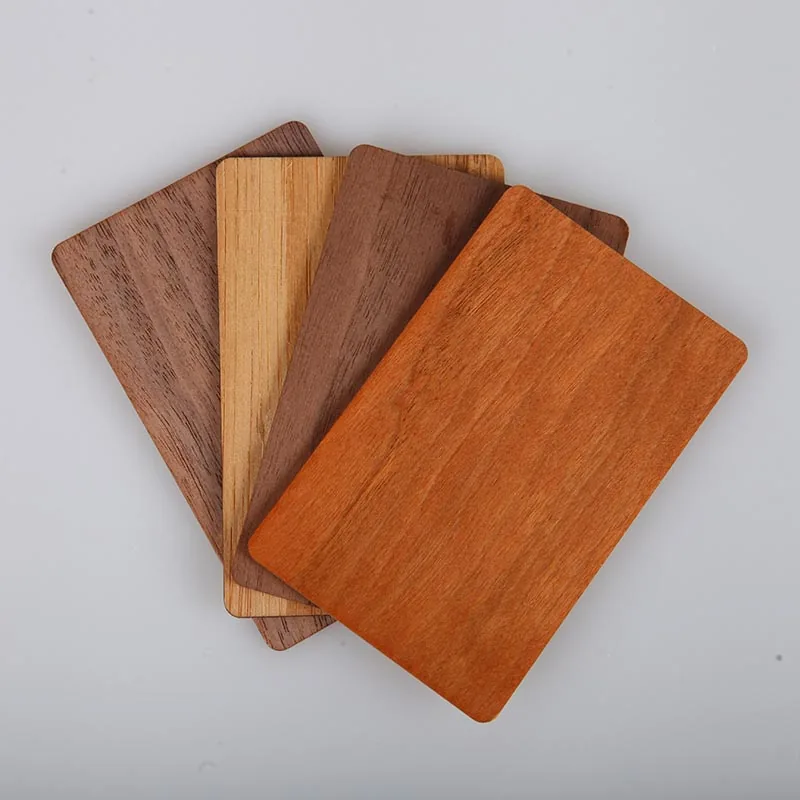
- Read distance figures assume an NTAG 213/215/216 in a CR80 PVC card. Metal NFC cards reduce read distance by 30–50% (the metal reduces antenna efficiency); wood cards reduce it by 5–15% (mostly bond-line attenuation).
- iPad NFC support is limited to a small subset of recent iPads with the M-series chips and is rarely the right target device for business-card programmes; treat iPad as out-of-envelope for cross-device testing.
| Device family | Min OS | Background tap | Lock-screen tap | Typical read distance | Notes |
|---|---|---|---|---|---|
| iPhone 7 / 8 / X | iOS 11 | App-only | No | 20–30 mm | NFC reader app required (NFC Tools, NXP TagInfo); not a tap-and-go target |
| iPhone XS / XR / 11 | iOS 13 | Yes | Yes (with notification) | 25–40 mm | Background Tag Reading introduced; standard modern baseline |
| iPhone 12 / 13 / 14 / 15 / 16 family | iOS 14+ | Yes | Yes (with notification) | 25–45 mm | MagSafe ring at top; NFC antenna 15–25 mm below ring |
| iPhone 15 Pro+ / 16 family | iOS 17+ | Yes | Yes; iOS 18 Control Center NFC Scan | 25–45 mm | iOS 18 introduces user-toggle NFC Scan in Control Center |
| iPad (any with NFC capability) | iPadOS 16+ | Limited | Limited | n/a | Most iPads do not have NFC; limited tag reading from iPadOS 16 |
| Google Pixel 6 / 7 / 8 / 9 | Android 12+ | Yes | Yes | 25–40 mm | Stock Android, antenna mid-back; cleanest experience for testing |
| Samsung Galaxy S22+ / S23+ / S24+ | Android 13+ | Yes | Yes | 25–40 mm | One UI bottom-sheet preview; antenna upper-third on most models |
| Samsung Galaxy A-series (mid-range) | Android 12+ | Yes (varies) | Yes (varies) | 20–35 mm | NFC may be off by default; user toggles in Connections settings |
| OnePlus 11 / 12 / 13 | Android 13+ | Yes | Yes | 25–40 mm | OxygenOS approximates stock Android behaviour |
| Xiaomi 13 / 14 (MIUI / HyperOS) | Android 13+ | Yes (with delay) | Yes | 20–35 mm | MIUI battery optimisation can delay wake by 200–800 ms |
| Huawei P-series / Mate (no GMS) | EMUI 12+ / HarmonyOS 4+ | Yes | Yes | 20–35 mm | Default browser is Petal/Huawei; some unknown-redirect blocking |
| Budget Android (Realme C-series, Tecno, Infinix) | Android 11+ | Often no NFC hardware | n/a | n/a | 25–35% of emerging-market Android lacks NFC entirely; QR fallback essential |
Troubleshooting: 'My iPhone won't tap' — five most common causes and fixes
The five issues below account for ~85% of the 'my iPhone won't tap' help-desk tickets in well-instrumented business-card programmes. Walk the recipient through the list in order at the networking moment; most issues resolve at cause 1 or 2 without escalation. The list is also worth printing on the back of the card or the welcome insert in the card's packaging, because a recipient who can self-resolve in 10 seconds preserves the connection that the card was meant to enable.
- Cause 1 — Wrong tap location: the iPhone's NFC antenna is at the top-back of the phone (above the Apple logo on most models, near the camera bump on iPhone 12 and later). Many users instinctively tap the centre or bottom of the phone. Fix: explicitly point to the top of the phone back and have the recipient tap the card to that spot. Resolves ~40% of reported failures in real programmes.
- Cause 2 — Phone case interference: thick wallet cases with credit cards in pocket, MagSafe wallets with steel plates, ruggedised cases with metal inserts. The credit cards in a wallet pocket couple to the phone's NFC antenna and detune it; metal plates block NFC entirely. Fix: temporarily remove the phone from the case (or remove the steel insert if the case design permits) and re-tap. Resolves ~25% of failures.
- Cause 3 — Notification missed on lock screen: iPhone shows a small notification banner at the top of the lock screen with a Safari icon and URL preview; the user must tap the notification and authenticate (Face ID, Touch ID, passcode) before Safari opens. Users unfamiliar with the pattern see no immediate response and assume the tap failed. Fix: tell the recipient 'you'll see a notification at the top of your screen — tap it to continue'. Resolves ~15% of failures.
- Cause 4 — App intercepting the tap: Apple Pay, Apple Wallet, banking apps, transit apps and some payment-adjacent apps can intercept NFC events on certain iOS builds. The card tap launches the wrong app instead of the URL. Fix: open the recipient's iPhone Wallet settings, set 'Default Card' to 'None' for the duration of the tap, then re-tap. Resolves ~10% of failures.
- Cause 5 — Older iPhone (iPhone 7 / 8 / X) without Background Tag Reading: these devices need an NFC reader app open in the foreground to register a tap. Fix: the recipient downloads NFC Tools or NFC Reader app, opens the app, then taps the card. Resolves the remaining ~10% of failures, but flag these devices as out-of-envelope for high-volume programmes; the experience is meaningfully worse than on iPhone 11 and later.
QR fallback: why it stays essential
NFC is the primary interaction mode for a premium card design, but QR is the fallback that rescues the 10-20% of intended taps that fail for reasons the card cannot control. Phones without NFC, NFC disabled in settings, cases blocking the antenna, users unsure how to tap, or simply a crowded moment where the tap geometry is off. A visible QR on the card is insurance, not an alternative. The best NFC business cards use both channels as one integrated handoff design.
- Why taps fail in the wild and how QR rescues them: NFC disabled in device settings (resolved by QR); phone case blocking the antenna (resolved by QR); older phone without NFC hardware or with broken NFC (resolved by QR); user does not know how to tap and holds the card at the wrong angle (resolved by QR); noisy conference environment with poor tap precision (resolved by QR). All of these are solvable by a QR that scans reliably in normal light.
- QR routes to the same URL as the NFC payload: one short URL, two input methods. The landing page logic does not need to know which method brought the user. The ?src= query parameter captures the distinction for analytics without affecting the user-visible experience.
- QR size and placement: 20-25 mm square minimum for reliable scanning with typical iPhone and Android cameras at 15-30 cm distance; 15-18 mm square works with recent (2022+) phone cameras at shorter distances but leaves no margin. Place on the card face or card back with clear contrast (pure black on white or near-white); avoid placing over busy artwork, textured finishes or metallic foils that reduce contrast.
- Error correction level: ECC Level H (30% recoverable data loss) is the safe default for business cards. Level H survives wear, fingerprints, lighting reflections, minor tears and logo overlays; Level L (7%) and Level M (15%) save ink and data density but fail on worn or dirty cards at roughly 3-8x the rate. The ink savings are not worth it at business-card scale.
- QR branding with embedded logo: centre a small logo (10-15% of the QR area) at ECC Level H without compromising scan reliability, because Level H can recover from the logo obscuring up to 30% of the modules. Over-branded QRs with logos larger than 20% of the area, decorative corner tiles that replace the three position markers, or aggressive colour schemes that reduce contrast below 3:1 stop scanning reliably on budget phone cameras.
- Dynamic vs static QR: static QR points directly to the final URL and is fastest but cannot be updated without reprinting; dynamic QR points to a redirect service (Bitly, Rebrandly, qr.io, self-hosted) and can be updated without reprinting but adds 200-600 ms of redirect latency and depends on the redirect service's uptime. For business cards, a self-hosted redirect on the issuer's own domain gives the editability of dynamic QR with the control of static; a third-party redirect service trades control for convenience.
- Measurement of QR vs NFC conversion: attribute landing-page conversions (vCard downloads, LinkedIn connects, calendar bookings) by source and compare. A well-designed card typically shows NFC taps converting at higher landing-page action rate than QR scans because NFC tappers have already physically committed to the tap; QR scanners can be passive visual scanners at a table. Both channels matter.
- QR on the card back vs card front: front placement saves the recipient from flipping the card but competes for attention with the card's primary visual identity; back placement keeps the front clean for branding and puts the QR where it belongs for recipients who have already received the card and want to scan it later. Most premium card designs put the QR on the back with a small textual cue on the front ('tap or scan').
Test matrix and pilot before the large order
A real cross-device test is the only way to know whether the card will survive the networking moment. The test matrix below takes a half-day of structured testing and prevents ordering 500-5,000 cards that only tap reliably on the developer's own phone. Run the matrix before the premium-material production run, not after. Iteration on metal, wood or polycarbonate cards after tooling is 8-20x more expensive than iteration on prototype PVC.
- Minimum device set: one recent iPhone (iPhone 15 / 16 / Plus / Pro / Pro Max), one older iPhone on earlier-generation hardware (iPhone 11 / 12 / 13), one recent flagship Android (Google Pixel 8 / 8 Pro, Samsung Galaxy S24 / S24+), one mid-range Android (Samsung Galaxy A54 / A55, Motorola Edge, OnePlus Nord), and one Chinese-market device if the target audience includes mainland China or mainland-China-manufactured phones (Xiaomi 13 / 14, Oppo Find X6). Five devices covers roughly 80-90% of the realistic in-market device distribution.
- Case matrix: naked phone (baseline), thin silicone or TPU case, thick wallet case with credit cards in pocket, MagSafe wallet (iPhone-specific). Test each device in at least two case configurations; high-risk deployments (conference giveaways to a wide demographic) should test all four on the two most common devices.
- Tap-action matrix: cold tap (phone in pocket moments before the tap — tests wake behaviour from low-power state); warm tap (phone already in active use with screen on); locked tap (screen off, lock screen engaged); foreground tap (phone open with a different app in use — tests NFC interrupt behaviour); repeated tap (same card tapped twice in succession — tests for duplicate-tap rejection).
- Payload verification tools: use NFC Tools (iOS / Android), NXP TagInfo (Android / iOS), NFC TagWriter by NXP (Android), or a desktop reader with libnfc to read back the chip's actual encoded URL before scaling the order. Encoding errors (typos, wrong prefix byte, wrong URI record format) happen more often than vendors admit and are catastrophic once discovered after the production run.
- Landing-page check on each device: the device-OS-browser combination renders the same page differently. Confirm the primary action button is visible and tap-sized (44x44 pt minimum on iOS, 48dp minimum on Android per accessibility guidelines); confirm the vCard download button works end-to-end; confirm the analytics endpoint logs the tap with the expected source attribution.
- Scan matrix for QR fallback: test the same QR at 15 cm / 30 cm / 45 cm camera distance in three lighting conditions (direct overhead light, sidelight, dim ambient at 50 lux). A QR that fails at 45 cm or in dim light will fail at conference tables during evening networking.
- Document the known-failure cases: steel MagSafe wallet blocks NFC entirely (recommend removal); NFC disabled in device settings (user-fixable with brief guidance); iPhone 6 or earlier and pre-NFC Android phones cannot tap (use QR); Huawei devices post-2020 without Google Mobile Services can tap but the default browser is Huawei Browser which sometimes blocks unknown redirects. Brief the card users with a 3-bullet guide so they can explain at the networking moment instead of looking confused.
- Pilot order size and iteration: order 20-50 prototype cards for matrix testing before committing to the full production run. If the matrix reveals issues (antenna position too low on a metal card, QR contrast insufficient on a dark wood finish, NFC detuned by a lacquer finish), iterate on the prototype rather than the 1,000-unit production batch. Premium-material cards at $3-8 each make this discipline obvious; cheap PVC cards at $0.40 each tempt teams to skip piloting. Resist the temptation, because the card design is the same decision in both cases.
Useful next pages
Use these linked product, guide and comparison pages to keep the next click specific and practical.
NFC business card product and solution pages
Product and solution anchors for the NFC business card programme.
Chip and material context
Chip and material comparisons that pair with the compatibility decision.
Tag programming and setup context
Setup and programming guides for iPhone and Android NFC cards.
External device-compatibility references
Authoritative references for iPhone and Android NFC behaviour.
FAQ
Do NFC business cards need a QR fallback?
Yes, in any production rollout. 10-20% of intended taps fail in the wild for reasons unrelated to the card itself. NFC disabled in device settings, thick wallet cases, MagSafe wallets with steel plates, older phones (iPhone 6, pre-NFC Android), users unfamiliar with the tap gesture, and budget-market Android phones that lack NFC hardware entirely (25-35% of Android in emerging markets). A visible QR that routes to the same URL converts those failed taps without creating an awkward retry. It is insurance, not an alternative, and the best card designs treat NFC and QR as one integrated handoff.
What should be tested before a larger NFC business card order?
A device-OS-case matrix covering at minimum a recent iPhone (15/16), an older iPhone (11/12/13), a flagship Android (Pixel 8, Galaxy S24), a mid-range Android (Galaxy A54, Pixel 7a), and a Chinese-market device if relevant. With each device tested naked, in a thin silicone case, and in a thick wallet case. Run at least 20 real taps per device-case combination across cold, warm, locked and foreground states, verify the encoded payload with NFC Tools or TagInfo, and confirm the landing page renders and converts on each device. The card that taps reliably across this matrix will survive the networking moment; one that only works on the developer's phone will not.
Should the NFC card encode a vCard or a URL?
URL, in almost every case. A URL hits a server you control, which lets the landing page adapt to the device (vCard download on Android, Safari contact-save on iPhone, LinkedIn deep link if installed), serve updatable content as your role or details change, capture tap analytics, and protect privacy (only the URL is exposed on read, not phone and email directly). A vCard baked into the chip is immutable, exposes personal data directly on every read to any NFC reader including a stranger's casual tap, and cannot adapt to iOS Safari's required import flow. URL payload with a smart landing page is the modern default for 2024+ deployments.
How much do phone cases affect NFC business card taps?
Thin silicone and leather cases reduce read distance by roughly 20-35% but still work reliably. The tap just requires placing the card within 10-15 mm of the antenna spot. Thick wallet cases with credit cards between the NFC antenna and the phone antenna often require a specific tap spot (usually the top third of the phone back near the camera bump on iPhones). Metal wallet cases and MagSafe wallets with steel plates (Ridge Wallet Case, PITAKA MagEZ, MagSafe wallets with metal inserts) block NFC severely and require users to remove the phone from the case for reliable taps. Test specifically with these cases in the pre-launch matrix.
Does an iPhone need to be unlocked to read an NFC business card?
No, on iPhone XS and later running iOS 13+. Background Tag Reading works on the lock screen. The phone detects the tag, shows a notification banner at the top of the screen with a Safari icon and URL preview, and opens the URL in the default browser (Safari by default, or whichever browser the user has set as default since iOS 14) when the notification is tapped and the phone is authenticated via Face ID / Touch ID / passcode. Users unfamiliar with the pattern sometimes miss the notification and assume the tap failed; briefing the recipient on what to expect at the handoff moment ('you'll see a notification at the top of your screen') prevents most of this confusion.
Will the NFC card still work five years from now?
The chip and the URL mechanism will. NTAG 213/215/216 chips are rated for 100,000 write cycles and 10-year data retention; NTAG 424 DNA is rated for 500,000 writes and 25-year retention. The card substrate is the real limiter: PVC cards typically wear out in 3-5 years of wallet carry due to bend-line cracks at the antenna bond, metal cards have indefinite face life but NFC module stress from bending at 500-1,500 cycles, and wood cards last 1-2 years before veneer-to-core delamination. Keep the URL on a domain you control so the payload can be reissued with updated links without reprinting when the card physically wears out.
What is the single biggest avoidable mistake in NFC business card rollouts?
Testing on one phone (usually an unreleased iPhone Pro Max with no case) and assuming that compatibility holds for every other device in the wild. The networking moment involves cased phones, older models, mid-range Androids with different launcher behaviours, users who have never tapped an NFC tag, and the 15-25% of Android users globally whose phones lack NFC hardware entirely. Design for that reality: use a URL payload (never vCard-only), include a QR fallback at 20-25 mm with ECC Level H, run the device-OS-case test matrix before ordering the premium-material production run, and brief the card holders with a 3-bullet guide so they can explain the tap gesture at the networking moment instead of watching a colleague look confused at their phone.
What changes in NFC behaviour did iOS 18 introduce that programmes should plan for?
Three meaningful shifts. First, Control Center NFC Scan is now user-toggleable on iPhone 15 Pro and later (read-only); recipients can scan tags without installing an app, which removes one friction step for the small share of users who previously needed NFC Tools or similar. Second, the SE (Secure Element) NFC API is opened to authorised developers under regulatory requirements in the EU (Digital Markets Act) and a handful of other regions, which enables third-party wallet and payment apps to coexist alongside Apple Wallet on the same NFC stack — for business cards this means more apps can intercept NFC intents, occasionally launching an unintended payment app on tap. Third, lock-screen notification behaviour has been refined to make the URL preview more visible, which slightly reduces the 'I tapped but nothing happened' experience for users unfamiliar with the pattern. Plan the troubleshooting bullets in the welcome insert against the iOS 18 baseline, and re-test the iOS 17 fallback path quarterly while older iPhones remain in active use.
When should an NFC business card programme add a QR code on the same card vs ship NFC-only?
Ship both, in 95%+ of programmes. NFC-only cards make sense only in tightly-controlled closed-network environments where the device population is fully known (corporate badge programmes with managed iOS or Android fleets, museum or kiosk integrations with verified NFC-capable handhelds). For any open-environment programme (sales conferences, networking events, retail point-of-sale, hospitality concierge) the 10–20% silent tap-failure rate is too high to leave the recipient stranded; a clear 20–25 mm QR with ECC Level H on the back of the card converts those failed taps without an awkward retry. Cards that ship NFC-only typically see 70–85% of intended hand-offs converting to a landing-page visit; cards that ship both convert at 90–95%. The QR adds zero hardware cost and ~3% of the card surface; the conversion lift is uniformly worth it.
Sources & references
Primary standards, OEM datasheets and regulatory documents cited by this article. All URLs were verified on the access date shown below.
- Apple Developer — Core NFC Framework
Core NFC 框架总文档,iOS 端 NFC 名片兼容性分析的第一引用。
- Apple Developer — Background Tag Reading
iOS 13+ 后台标签读取机制官方文档,解释为何 URL payload 在 iPhone XS 及以后无需 app 即可识别。
- Android NFC Basics — Developer Guide
Android NFC 基础开发指南,包含标签分派系统、URI 启动行为与 TNEP 相关章节。
- Android NFC — Advanced Tag Dispatch and NDEF
Android 高级 NFC/NDEF 处理文档,说明各厂商默认启动器对 NFC URI 的行为差异。
- NFC Forum — Technical Specifications Library (NDEF, RTD, URI RTD, Type 2 Tag, Type 4 Tag)
NFC Forum 全部技术规范入口,覆盖 NDEF 1.0、Record Type Definition、URI RTD、Type 2/4 Tag Operation 等本页涉及的核心规范。
- RFC 6350 — vCard Format Specification
vCard 4.0 格式标准,"vCard payload 与 URL payload 的对比"章节的规范依据。
- ISO/IEC 14443 series — Identification cards — Contactless ICs — Proximity cards
HF 13.56 MHz 空中接口标准,NFC 名片芯片的底层协议基线。
- NXP NTAG 21x Product Family
NTAG 213 / 215 / 216 数据手册,NFC 名片最常用芯片族的内存/URI 容量基线。
Proud Tek is a Shenzhen-based RFID & NFC manufacturer supplying hotel chains, transit operators, event venues and retail brands worldwide. Every order includes free samples, RF testing and dedicated project support.
Get a Quick Quote
Tell us about your project and we'll respond within one business day. Fields marked (asterisk) are required.