
NFC Technology
How to Program NFC Tags and Stickers

Quick answer
A step-by-step technical guide for operations and IT teams on programming NFC tags — the one step that decides whether a tap does something or nothing at all. Covering tool selection, NDEF record creation, batch encoding workflows and write-protection best practices.
- NFC tags ship blank and must be programmed with NDEF data before deployment. The programming step defines the entire user experience.
- Smartphone apps handle single-tag programming, while desktop readers with SDK support enable batch encoding of hundreds of tags per hour.
- Write-locking tags after programming prevents tampering but makes future URL updates impossible. Choose the right protection strategy for your use case.
At a glance
Use these short answers to decide whether this page matches the project before moving into the detail.
Key takeaway
NFC tags ship blank and must be programmed with NDEF data before deployment. The programming step defines the entire user experience.
How do you handle tools for NFC tag programming?
A blank NFC tag is, briefly, the most disappointing thing you can hold to a phone: you tap it, and nothing happens. No web page, no animation, no sign it is anything but...
Next step
Ready to move forward? Start your inquiry to get specific answers for this project.
Get programming supportHow do you handle tools for NFC tag programming?
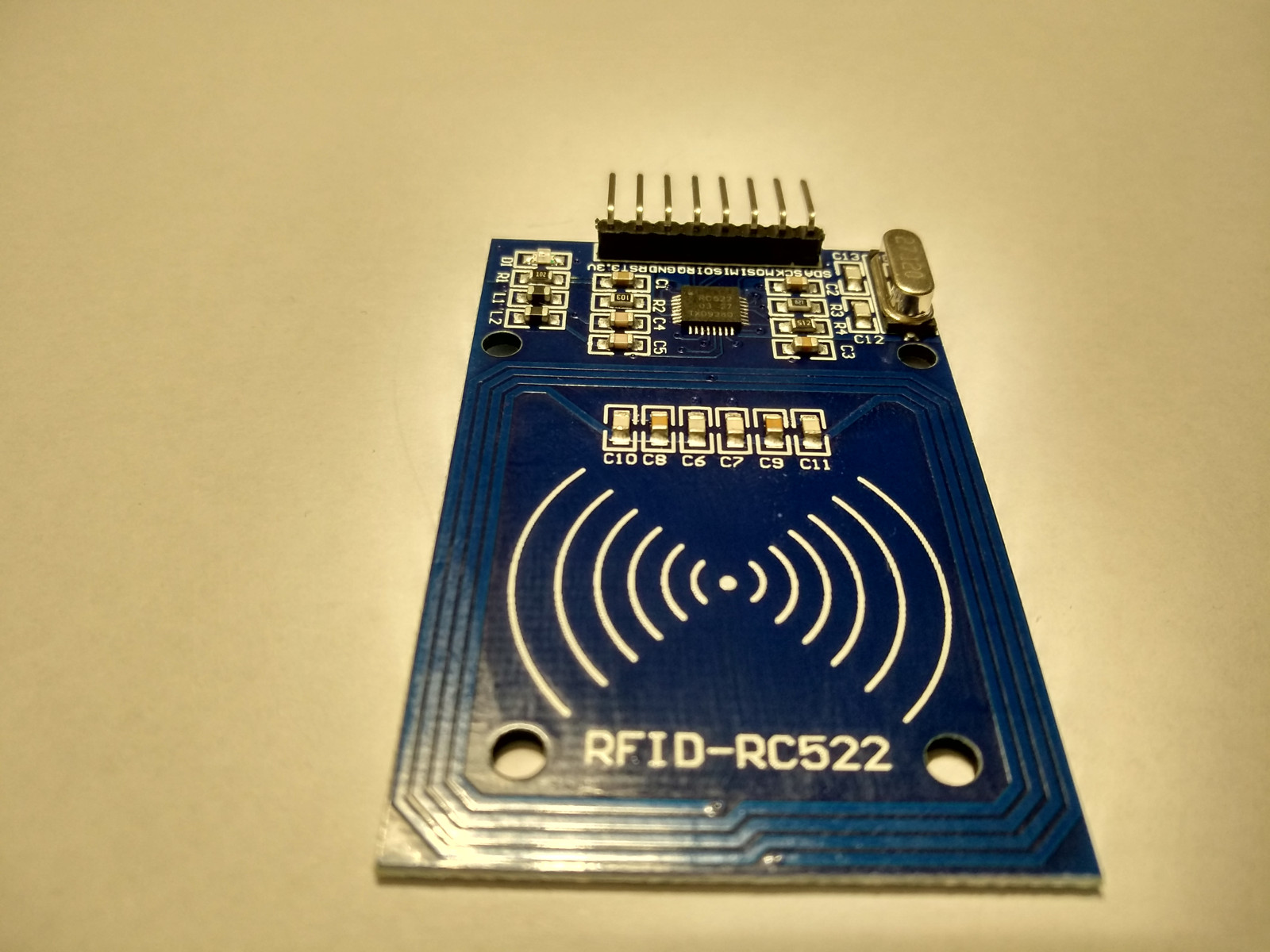
A blank NFC tag is, briefly, the most disappointing thing you can hold to a phone: you tap it, and nothing happens. No web page, no animation, no sign it is anything but a sticker. Everything that later makes the tag feel like magic — the tap that opens a menu, authenticates a handbag, or checks someone into an event — is added in one short write step, the part of the rollout almost everyone skips in the planning. This is that step. NFC tags are programmed by writing NDEF-formatted data to the tag's EEPROM memory using an NFC reader/writer. The choice of tool depends on volume: smartphone apps for one-off programming, desktop readers for batch operations.
| Tool | Platform | Volume | Features | Best for |
|---|---|---|---|---|
| NFC TagWriter (NXP) | Android | 1 – 10 tags | GUI-based, URL/vCard/text templates | Quick single-tag programming |
| NFC Tools | Android / iOS | 1 – 10 tags | Read/write/copy, multiple record types | Cross-platform single-tag use |
| ACR122U + NFC SDK | Windows / Mac / Linux | 10 – 1,000 tags | Scriptable batch encoding, UID logging | Production-volume programming |
| NFC reader with SDKs | Windows / Mac / Linux | 100 – 10,000 tags | High-speed encoding, API integration | Factory and warehouse operations |
| Web NFC API | Chrome on Android | 1 – 50 tags | Browser-based, no app install | Field programming and demos |
How do you program a URL record step by step?
The most common NFC programming task is writing a URL record that opens a web page when tapped. Here is the workflow using a desktop ACR122U reader, which applies to any reader with NDEF writing capability.
- Step 1 — Connect the ACR122U reader to your computer via USB. Install the driver if prompted (Windows may auto-detect; macOS and Linux require the ACR driver package).
- Step 2 — Open your NFC writing software. For the ACR122U, NXP's TagXplorer or the open-source NDEF library with a Python/Java wrapper works well.
- Step 3 — Place the NFC tag on the reader. The software should detect the tag and display its UID, chip type and available memory.
- Step 4 — Create a new NDEF URI record. Enter the full URL including https:// prefix. The software will automatically select the URI prefix byte to optimize memory usage.
- Step 5 — Write the record to the tag. A successful write is confirmed in under 500 milliseconds. Test the tag with a smartphone to verify the URL opens correctly.
How do batch encoding workflows work?
When programming hundreds or thousands of tags for a campaign or product line, manual one-by-one encoding is impractical. Batch workflows automate the process using scripted desktop reader sessions.
A typical batch encoding script loops through a data source (CSV file, database query or API response), writes a unique URL to each tag, logs the tag UID alongside the written URL and sounds an audible confirmation. The operator places tags on the reader one at a time, and the script handles encoding and logging automatically.
- Step 1Use a CSV file with columns for tag sequence number, URL and any variable data. The script reads row N, writes to the current tag, increments N and waits for the next tag.
- Step 2Log every write operation with timestamp, UID and write status. This audit trail is essential for quality control and troubleshooting.
- Step 3Set up audio or visual feedback (beep or LED) on successful write so the operator knows when to swap tags without watching the screen.
- Step 4Typical throughput with a trained operator is 200-400 tags per hour using a single desktop reader.
- Step 5For higher volumes (1,000+ tags per day), consider a conveyor-fed inline encoder or outsource encoding to the tag supplier.
What write protection and security options exist?
After programming, you must decide whether to lock the tag against future writes. This is a critical decision that affects tag security, flexibility and operational recovery options.
- No protection: The tag remains fully writable. Anyone with an NFC phone can overwrite the content. Suitable for internal testing and personal tags only.
- Password protection (NTAG21x): Set a 32-bit password that must be presented before writes are accepted. The tag remains updatable by authorized personnel but is protected against casual overwriting.
- Permanent lock (OTP bits): The NTAG21x lock bits can be set to permanently prevent writes to specific memory pages. This is irreversible: the tag content is fixed forever.
- Dynamic lock bits: Allow selective locking of individual memory pages while leaving others writable. Useful for tags that need a fixed URL but updatable metadata.
- Recommendation for most B2B deployments: Use password protection rather than permanent lock. This prevents casual tampering while preserving the ability to update content for campaign changes or URL migrations.
What are common programming errors and how do you avoid them?
Programming errors during batch encoding are costly because they may not be discovered until tags are deployed in the field. These are the most frequent mistakes and their preventions.
- Wrong NDEF format: Writing raw bytes instead of formatted NDEF messages results in tags that desktop readers can parse but smartphones ignore. Always use NDEF library functions, not raw memory writes.
- URL too long for chip memory: NTAG213 holds ~132 URL characters. URLs with long UTM parameters or encoded query strings may exceed this. Test the full production URL, not a shortened version.
- Missing NDEF terminator TLV: Some low-level writing tools do not append the terminator (0xFE) after the last NDEF record. Without it, some phones read corrupted data.
- Skipped verification read: Always read back the tag after writing to confirm the data was stored correctly. Memory errors during write are rare but not impossible.
- Accidental lock: Setting lock bits when you meant to set a password — the one error on this list with no undo. Double-check the lock configuration before writing; a permanent lock cannot be reversed, and the tag can only be replaced.
How is NTAG 424 DNA SUN provisioning different from plain NDEF programming?
Plain NTAG21x programming writes a static NDEF record. NTAG 424 DNA's Secure Unique NFC (SUN) message changes the URL on every tap with an AES-128 CMAC signature — which means provisioning involves keys, counters and a verification backend. Skipping these steps in pilot leaves brands shipping 'authentic' chips that any cloned UID will satisfy.
- Five AES-128 application keys per chip: Key 0 (Master/Origin), Key 1 (App), Key 2 (Read), Key 3 (Write), Key 4 (Change). Most production deployments only program Keys 0 + 2; the rest stay at default unless your application demands tiered access. Each is 16 bytes long.
- Secure Dynamic Messaging (SDM): the on-chip feature that injects the rotating PICC data + CMAC into the URL on each tap. SDM enables confidentiality + integrity without a preceding mutual-authentication round trip — that's why a smartphone can verify with one tap, no app.
- Two provisioning paths: (1) NXP Trust Provisioning Service — chip-individual AES keys derived from Master keys in FIPS 140-2 Level 3 HSMs at NXP's secure factory, delivered as encrypted key files; (2) post-issuance encoding — you receive default-key chips and program your own keys via a Change Key command. Trust Provisioning is preferred for high-volume luxury / DPP programs; post-issuance is fine for medium-volume marketing.
- URL template at encoding time: pre-set the SDM URL template (`https://brand.com/v?picc={picc_data}&cmac={cmac}`), the SDM read counter file, and tamper status file (for NTAG 424 DNA TT). These three settings are what the chip dynamically populates on each tap — get the template wrong and your verification backend has nothing to validate.
- Backend verification stack: your authentication endpoint must store the per-chip Key 2 (AES-128), recompute the CMAC over the PICC data, compare to the chip's signature, and reject taps where the read counter goes backwards (replay attack). Open-source SDKs from sweetTango (Python), Klingele (Node) and the NXP TapLinx SDK (Java) are the common starting points.
Useful next pages
Use these linked product, guide and comparison pages to keep the next click specific and practical.
NFC tags for programming
Blank NFC stickers and cards ready for custom NDEF programming.
NFC readers and development tools
Desktop NFC readers with SDK support for batch programming workflows.
FAQ
Can I program NFC tags with an iPhone?
Yes, starting with iOS 13 (2019). You need a third-party app that uses Apple's Core NFC writing APIs, such as NFC Tools or NFC TagWriter. Note that iPhone NFC writing is slower and supports fewer tag types than Android, so desktop readers are preferred for batch operations.
How many times can I rewrite an NFC tag?
NTAG21x chips are rated for 100,000 write cycles. In practice, even if you reprogram a tag daily, it would last over 270 years. Write endurance is not a practical concern for any real-world application.
What happens if I write-lock a tag and need to change the URL later?
If you used permanent lock bits (OTP), the tag cannot be rewritten and must be physically replaced. If you used password protection, you can unlock and rewrite the tag using the password. This is why password protection is recommended over permanent locking for most applications.
Can I program different data on each tag in a batch?
Yes. Batch encoding scripts read unique data (URLs, serial numbers, vCard details) from a CSV or database and write different content to each tag. The ACR122U SDK and most NFC reader SDKs support this workflow natively through their programming APIs.
How do I verify that a tag was programmed correctly?
Perform a read-back verification immediately after writing by reading the tag's NDEF content and comparing it byte-for-byte against the intended data. Additionally, test a sample of tags with an actual smartphone to confirm the end-user experience matches expectations.
Should we order pre-programmed tags or program them in-house?
Pre-programmed (vendor-encoded) tags are best when (1) volume exceeds ~10K units and you can lock the URL template, (2) you need NTAG 424 DNA with chip-individual keys derived from NXP Trust Provisioning Service in FIPS 140-2 Level 3 HSMs (the only path with cryptographic guarantees you didn't manufacture yourself), or (3) you require GS1 Digital Link encoding and EPCIS event registration that the vendor handles end-to-end. In-house programming is best for (1) low volume and frequent URL changes, (2) variable per-tag data your vendor doesn't have, or (3) confidential payloads. Many brands run a hybrid: keys + base URL provisioned by vendor, per-unit serial appended in-house at the labeling step.
What's the realistic encoding throughput at production scale?
A trained operator with a single ACR122U or Identiv reader sustains 200-400 tags per hour for desktop NDEF writes. NTAG 424 DNA SUN provisioning (with key change, SDM template setup and verification read-back) drops to 100-250 tags per hour because each chip needs more round-trips. For volumes >1000 tags per day, switch to (1) inline encoders integrated into a label printer like Zebra ZD621R or SATO CT4-LX-RFID at 800-2,000 tags/hour, (2) a multi-head desktop encoder array, or (3) factory-side vendor encoding. Industrial inline encoders amortise the capex over 50K-200K tags/year before they beat outsourcing.
Proud Tek is a Shenzhen-based RFID & NFC manufacturer supplying hotel chains, transit operators, event venues and retail brands worldwide. Every order includes free samples, RF testing and dedicated project support.
Get a Quick Quote
Tell us about your project and we'll respond within one business day. Fields marked (asterisk) are required.